Human Resource Management System (HRMS): The Complete Guide for Irish Businesses
Managing people is one of the most important responsibilities in any organisation. It is also one of the areas where businesses can quickly become overwhelmed by administration.
Employee records, contracts, recruitment, onboarding, annual leave, attendance, payroll, performance reviews, training, working-time records and compliance can all generate large amounts of information. When these activities are managed through spreadsheets, email, paper documents and separate software applications, HR teams can spend more time searching for information and completing repetitive tasks than supporting their people.
This is where a Human Resource Management System (HRMS) can make a significant difference.
An HRMS is software designed to bring core human resource processes together in one centralised system. Instead of maintaining employee information across disconnected files and applications, organisations can use an HR management system to manage employee data, automate workflows, support payroll and attendance processes, organise documents, manage recruitment and improve visibility across the employee lifecycle.
For Irish organisations, however, choosing an HRMS involves more than simply finding software with a long list of features.
The system should also support the realities of operating in Ireland, including payroll requirements, working-time records, employee documentation, data protection and Workplace Relations Commission (WRC) requirements.
This guide explains what a Human Resource Management System is, what an HRMS does, why businesses use one, which features to look for, how HRMS differs from HRIS and HR software, and how an Irish-first platform such as CloudHR can bring HR, payroll, workforce management and compliance together.
What Is a Human Resource Management System?
A Human Resource Management System (HRMS) is a software platform used to organise, automate and manage an organisation's human resources processes.
At its simplest, an HRMS creates a central source of information about employees.
Instead of having one spreadsheet for employee details, another system for leave, email folders for contracts, separate tools for recruitment and another application for payroll, an HRMS can connect these processes within one environment.
A modern HRMS can cover activities throughout the employee lifecycle:
- Recruitment
- Applicant tracking
- Employee records
- Onboarding
- Contracts and documents
- Leave management
- Attendance and time tracking
- Payroll
- Performance management
- Training and learning
- Workforce scheduling
- Employee self-service
- Reporting and analytics
- Compliance management
- Offboarding
The exact capabilities differ between HRMS platforms. Some systems focus primarily on core HR. Others combine HR with payroll, recruitment, workforce management and financial processes.
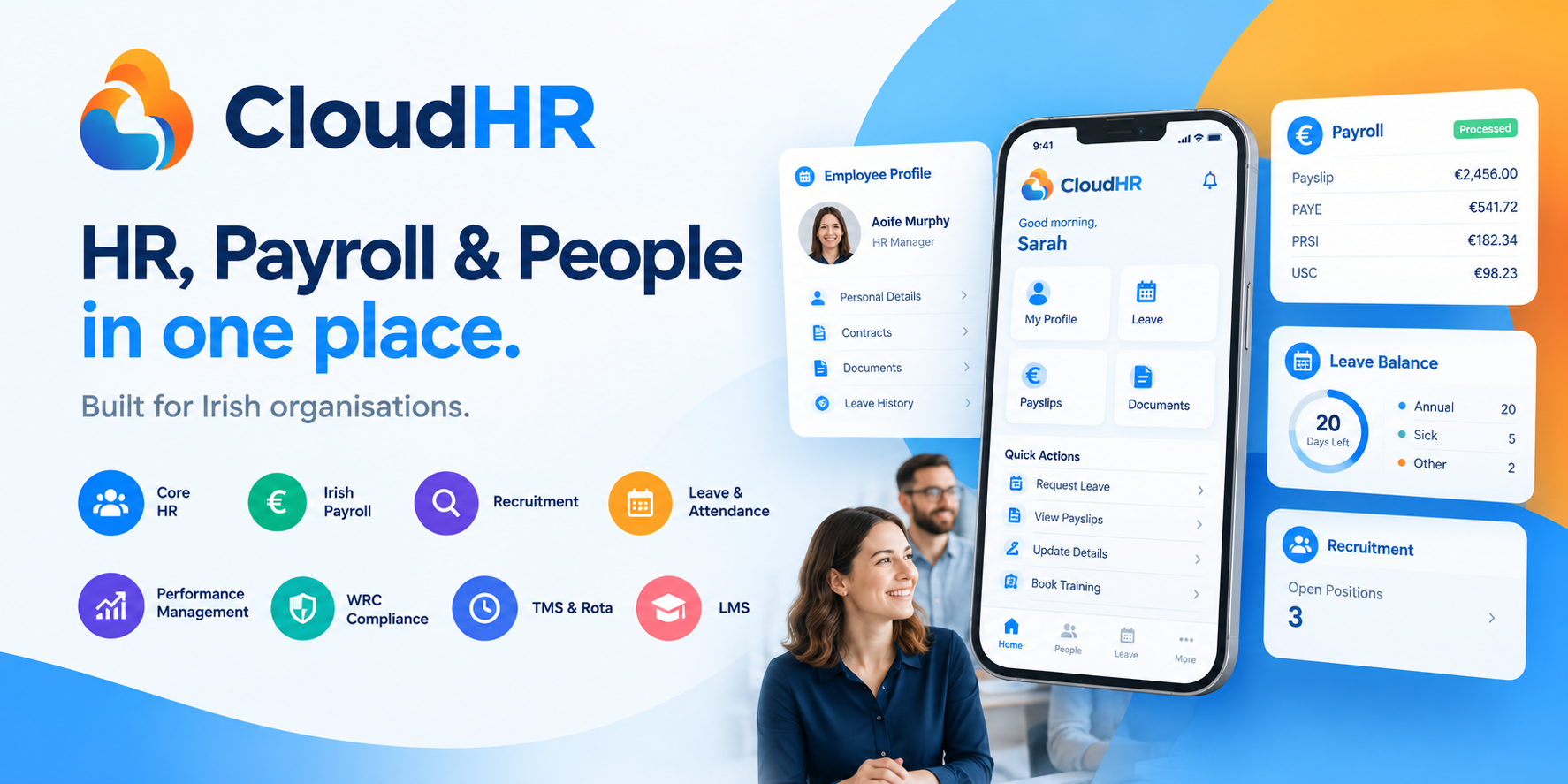
CloudHR, for example, is positioned as a workforce operating system for Irish organisations, bringing HR, payroll, scheduling and compliance into one platform. Its modules cover areas including Core HR, recruitment, onboarding, leave, attendance, training, performance, rota management, Irish payroll and WRC compliance.
The key idea is simple:
An HRMS turns HR information and processes into a connected digital system rather than a collection of disconnected administrative tasks.
Why Do Businesses Need an HRMS?
Human resources becomes increasingly difficult to manage manually as an organisation grows.
A business might begin with ten employees and manage everything using spreadsheets and shared folders. At that size, the process may appear manageable.
Then the organisation grows.
There are 30 employees.
Then 75.
Then 150.
Suddenly HR needs to keep track of:
- Different employment contracts
- Multiple departments
- Annual leave balances
- Sick leave
- Working hours
- New starters
- Departing employees
- Payroll changes
- Performance reviews
- Training requirements
- Employee documents
- Managers' approvals
- Recruitment pipelines
- Compliance records
The challenge is not simply the volume of information.
It is the relationship between the information.
For example, an employee's working hours may affect attendance. Attendance can affect payroll. Leave can affect available working time. A promotion can change compensation. A new employee needs documentation, onboarding tasks, system access and payroll information.
When these processes exist in separate systems, HR staff often become the connection between them.
A good HRMS reduces that dependency by connecting the information and workflows.
An HRMS Can Help Reduce Administrative Work
HR teams should not have to spend hours performing tasks that software can safely automate.
Consider a simple annual leave request.
Without HR software, an employee might:
- Email their manager.
- Wait for approval.
- Email HR.
- HR updates a spreadsheet.
- HR recalculates the employee's remaining entitlement.
- Payroll is informed if necessary.
- The employee receives confirmation.
With an HRMS, the workflow can be digital:
- Employee submits the request.
- Manager receives an approval notification.
- Manager approves the request.
- Leave balance updates.
- Relevant records are maintained automatically.
The HR team can then focus on exceptions rather than repeatedly processing routine requests.
What Does an HRMS Do?
A comprehensive human resource management system can cover almost every stage of the employee lifecycle.
Let's look at the main functions.
1. Core HR and Employee Records
Core HR is the foundation of an HRMS.
It provides a centralised employee record containing important information such as:
- Name and contact details
- Employment status
- Job title
- Department
- Start date
- Contract information
- Working arrangements
- Compensation
- Emergency contacts
- Leave information
- Attendance
- Documents
- Training
- Performance information
Instead of asking, "Which spreadsheet contains that employee's information?", HR can work from a central employee profile.
CloudHR's employee management functionality is designed around this concept, linking employee information, contracts, documents, leave records and payroll information to an individual employee profile.
This creates a single source of truth for employee information.
2. Recruitment and Applicant Tracking
Recruitment is another important part of modern HR management software.
An HRMS with an applicant tracking system (ATS) can help businesses manage candidates from the initial application through to hiring.
Typical features include:
- Job creation
- Job posting
- Candidate applications
- Candidate pipelines
- Interview scheduling
- Candidate communication
- Candidate notes
- Offer letters
- Digital signatures
- Recruitment reporting
Instead of tracking applicants through email threads and spreadsheets, HR can manage candidates through a structured recruitment pipeline.
CloudHR includes recruitment functionality with job posting, candidate pipeline management, interview scheduling and digital offer letters.
The benefit extends beyond recruitment itself.
Once a candidate accepts an offer, the information can potentially flow into onboarding rather than requiring HR to start the process again in a separate system.
3. Employee Onboarding
The first few days and weeks of employment are important.
A new employee may need:
- An employment contract
- Company policies
- Payroll information
- Personal details
- Emergency contact information
- Training
- Equipment
- Introductions
- System access
- Compliance documentation
Managing all of these manually can result in missed tasks.
An HRMS can create a standard onboarding workflow.
For example:
Offer accepted → employee profile created → documents issued → signatures collected → onboarding tasks assigned → training scheduled → employee becomes active.
CloudHR provides digital offer letters, e-signatures, onboarding workflows and welcome-kit functionality as part of its employee lifecycle tools.
This gives HR teams a repeatable process for every new starter.
4. Leave and Absence Management
Annual leave is one of the most common HR administrative processes.
Employees need to know:
- How much leave they have available
- What they have already taken
- What requests are pending
- Whether a manager has approved a request
- How leave affects schedules
HR needs accurate records.
An HRMS can automate much of this process.
Employees can submit requests through self-service. Managers can approve them. HR can view leave across teams and departments.
For Irish organisations, leave management also needs to account for statutory requirements.
The Workplace Relations Commission provides guidance on annual leave and related employee entitlements.
A digital leave management system therefore provides more than convenience. It can help create consistent records and reduce administrative errors.
5. Time and Attendance Management
For organisations with hourly workers, shifts, multiple locations or flexible working arrangements, attendance management can become particularly complex.
An HR management system can help track:
- Clock-in and clock-out times
- Hours worked
- Breaks
- Absences
- Overtime
- Shift patterns
- Rotas
- Attendance exceptions
This is especially important in Ireland because employers have statutory record-keeping responsibilities.
The Workplace Relations Commission states that employers are required to maintain employment records including hours of work, starting and finishing times, meal breaks, rest periods and holiday/public holiday information.
The WRC also explains that employers must maintain working-time records and that inspectors can access relevant employment records during inspections.
For this reason, an Irish HRMS should not treat attendance as simply an optional productivity feature.
It can be an important component of workforce administration and compliance.
6. Payroll Management
Payroll is one of the most sensitive HR processes in any organisation.
Employees expect to be paid accurately and on time.
Employers also have obligations regarding payroll reporting and deductions.
In Ireland, employers must operate PAYE and report payroll information to Revenue on or before the date employees are paid. Revenue payroll information includes pay and statutory deductions such as Income Tax, USC and PRSI, with LPT where applicable.
This makes Irish payroll significantly more than simply calculating salaries.
A suitable payroll system can help manage:
- PAYE
- PRSI
- USC
- Tax credits
- Payroll calculations
- Payslips
- Payroll reporting
- Employee payroll records
- Payroll exports
- Revenue submissions
CloudHR includes an Irish payroll engine designed around Irish payroll requirements, including PAYE, PRSI, USC and Revenue reporting functionality.
The advantage of integrating payroll with HR is that employee information does not have to be repeatedly entered into separate systems.
A change to an employee's role, compensation or working arrangements can be managed within a connected HR environment.
7. Performance Management
An HRMS can also help organisations move beyond administrative HR.
Performance management features can include:
- Goal setting
- Performance reviews
- 360-degree feedback
- Continuous feedback
- Development objectives
- Review cycles
- Manager feedback
- Employee self-assessment
The purpose is not simply to create another form for employees to complete.
A well-designed performance management process helps organisations create a regular conversation around:
What is the employee working towards?
What support do they need?
What progress have they made?
What skills should they develop next?
CloudHR includes performance functionality covering goals, reviews and continuous feedback.
8. Learning and Development
Training is another important part of the employee lifecycle.
An HRMS can help organisations manage:
- Training courses
- Mandatory training
- Employee learning records
- Certifications
- Expiry dates
- Development plans
- Training completion
- Learning management
Centralising training records can be particularly useful when managers need to know whether employees have completed required training.
CloudHR includes an LMS/training module within its wider platform.
9. Employee Self-Service
One of the most valuable features of modern HR software is employee self-service.
Instead of asking HR to complete every small administrative task, employees can access relevant information themselves.
Depending on the HRMS, employees may be able to:
- Update personal information
- Submit leave requests
- View leave balances
- Access payslips
- Download documents
- Sign HR documents
- View training
- Complete onboarding tasks
CloudHR's employee self-service functionality is designed to allow employees to manage information and routine HR requests without requiring HR intervention for every action.
This changes the role of HR.
Rather than acting as an administrative helpdesk, HR can spend more time on people, culture, retention, development and workforce planning.
10. Document Management
HR departments deal with a substantial amount of documentation.
Examples include:
- Employment contracts
- Policies
- Employee handbooks
- Payslips
- Certificates
- Training records
- Offer letters
- Performance documents
- Right-to-work documentation
- Company forms
Keeping these documents in email attachments or shared folders can make it difficult to find the latest version.
A modern HRMS can provide centralised document storage, permissions, version control and digital signatures.
CloudHR provides document management with cloud storage, e-signatures, version history and access controls.
This can make HR administration significantly easier.
11. Workforce Scheduling and Rota Management
Not every organisation operates a conventional Monday-to-Friday office model.
Retail, hospitality, healthcare, education, facilities, logistics and other industries may need to manage:
- Rotas
- Shifts
- Locations
- Working hours
- Staff availability
- Overtime
- Absences
- Shift changes
An HRMS that includes workforce scheduling can connect employee information with operational requirements.
Instead of maintaining a separate rota spreadsheet, businesses can manage scheduling as part of their wider workforce system.
CloudHR includes TMS and rota functionality alongside its HR, attendance and payroll modules.
12. HR Reporting and Analytics
HR produces a significant amount of useful data.
But data is only valuable if an organisation can understand it.
An HRMS can provide reports on:
- Headcount
- Employee turnover
- Absence
- Leave
- Attendance
- Payroll
- Recruitment
- Time-to-hire
- Training
- Performance
- Workforce costs
Instead of manually combining multiple spreadsheets every month, HR managers can use dashboards and automated reports.
CloudHR provides live dashboards, custom reports and automated reporting across areas such as headcount, turnover, payroll and attendance.
This supports a move from administrative HR to data-informed HR.
13. HR Compliance Management
Compliance is another major reason businesses invest in HR software.
In Ireland, organisations need to manage a range of employment-related records and obligations.
The Workplace Relations Commission lists statutory employment records including employee details, terms of employment, payroll information, payslips, employment dates, working hours, leave and other documentation required to demonstrate compliance.
A digital HRMS can help organise these records and create audit trails.
CloudHR includes a dedicated WRC compliance module designed to help Irish organisations manage relevant records and compliance workflows.
It is important to remember that software does not transfer legal responsibility from the employer. The employer remains responsible for complying with applicable legislation.
However, good software can make the administrative side of compliance far more manageable.
HRMS vs HRIS vs HCM: What's the Difference?
People often use the terms HRMS, HRIS, HR software and HCM interchangeably.
There are similarities, but there can be differences in scope.
What Is HRIS?
HRIS stands for Human Resources Information System.
Traditionally, HRIS refers primarily to systems that manage employee information and core HR administration.
Typical HRIS functions include:
- Employee records
- Organisation structures
- Personal information
- Employment information
- Basic reporting
- Documents
- Leave management
What Is HRMS?
HRMS stands for Human Resource Management System.
The term is often used for a broader HR platform that can include core HR plus:
- Payroll
- Attendance
- Recruitment
- Performance
- Learning
- Workforce management
- Employee self-service
What Is HCM?
HCM stands for Human Capital Management.
HCM is often used to describe a broader strategic approach to managing people across their entire lifecycle, including talent management, workforce planning and analytics.
In practice, vendors do not always use these terms consistently.
The important question for a business is therefore not:
"Is this technically an HRIS or an HRMS?"
The better question is:
"Does this system provide the functions our organisation actually needs?"
What Are the Main Benefits of an HRMS?
The value of an HRMS goes beyond replacing paper forms.
1. Less Administrative Work
Automating repetitive workflows can reduce the amount of manual administration HR teams perform.
Examples include:
- Leave approvals
- Employee updates
- Onboarding tasks
- Document signatures
- Payroll preparation
- Reports
- Attendance records
The goal is not to automate people.
It is to automate unnecessary administration so people can spend more time on higher-value work.
2. Better Data Accuracy
Manual data entry creates opportunities for mistakes.
An employee's information might be updated in one spreadsheet but not another.
An HRMS can create a central record and connect processes around it.
That means there is less need to repeatedly copy the same information between systems.
3. Greater Visibility
HR leaders can see what is happening across the organisation.
Instead of asking several departments for separate reports, management can potentially access:
- Current headcount
- Open positions
- Absence
- Attendance
- Payroll information
- Employee turnover
- Training
- Performance
This creates a more complete view of the workforce.
4. Improved Employee Experience
Employees increasingly expect workplace technology to be simple.
They do not want to email HR every time they need a payslip or need to request annual leave.
Employee self-service gives people access to information and processes when they need them.
This can improve convenience for both employees and HR.
5. Stronger Document Control
Centralised HR document management makes it easier to identify:
- Which document belongs to which employee
- Which version is current
- Which documents have been signed
- Which documents are outstanding
- Who has access
This is particularly valuable when HR manages hundreds or thousands of employee documents.
6. Better Compliance Administration
A digital system can make it easier to maintain required employment records and produce information when needed.
For Irish businesses, this is particularly relevant because the WRC carries out compliance inspections and can request access to employment records.
7. Better Decision-Making
HR data can help answer important business questions.
For example:
- Which departments are growing fastest?
- How long does recruitment take?
- Where are absence levels increasing?
- How much does the workforce cost?
- Which training programmes are being completed?
- What is employee turnover?
- Where are overtime costs increasing?
An HRMS turns these questions from spreadsheet projects into regular management reporting.
HRMS and GDPR in Ireland
Employee data is highly sensitive.
An HR system can contain:
- Names
- Addresses
- PPS numbers
- Payroll information
- Bank details
- Employment contracts
- Attendance records
- Leave records
- Performance information
- Training records
- Other personal information
Organisations therefore need to take data protection seriously.
The Data Protection Commission states that organisations processing personal data in the relevant circumstances are subject to GDPR requirements.
The Workplace Relations Commission also notes that employment legislation can require employers to retain certain employee information for defined periods, and that these legal record-keeping obligations are not simply removed by GDPR.
A good HRMS should therefore support appropriate security and access controls.
Important capabilities can include:
- Role-based permissions
- Secure authentication
- Audit trails
- Encryption
- Data access controls
- Controlled document access
- Data export capabilities
- Appropriate retention processes
CloudHR states that its platform uses dedicated databases per organisation, role-based permissions and audit trails, with security and GDPR considerations built into the platform.
However, businesses should always assess the specific data-processing arrangements, security controls and contractual terms of any HR software provider before implementation.
What Should an Irish Business Look for in an HRMS?
Choosing HR software can be difficult because almost every platform promises to simplify HR.
Instead of comparing feature lists alone, Irish businesses should consider several practical questions.
1. Is It Designed for Ireland?
This should be one of the first questions.
An HR system designed primarily for another market may not provide the same level of support for Irish payroll, working-time records and employment administration.
Look for support for:
- Irish payroll
- PAYE
- PRSI
- USC
- Revenue reporting
- WRC records
- Irish employment processes
- GDPR
CloudHR is specifically positioned as an Irish-first HR and workforce platform rather than software simply localised for Ireland.
2. Does It Include Payroll?
If payroll is already handled through another platform, integration may be sufficient.
If the organisation wants one system, native Irish payroll can be valuable.
Revenue requires employers to report payroll information on or before the date employees are paid.
The closer HR and payroll are connected, the less duplication may be required.
3. Does It Cover the Whole Employee Lifecycle?
Ask whether the platform supports the journey from:
Recruitment → Offer → Onboarding → Employment → Leave → Attendance → Payroll → Performance → Training → Offboarding
A platform that handles only employee records may still require several other systems.
A broader HRMS can reduce the number of systems HR has to manage.
4. Is Employee Self-Service Included?
Employee self-service can dramatically reduce routine HR queries.
Check whether employees can:
- Update details
- Request leave
- View balances
- Access payslips
- Sign documents
- Complete onboarding
- Access training
5. Can It Handle Growth?
The right HRMS should not become a problem when the business grows.
Consider:
- Number of employees supported
- Multiple departments
- Multiple locations
- Different employee types
- Additional modules
- Reporting
- Permissions
- Integrations
- API availability
CloudHR is designed to bring multiple workforce modules into a single platform so organisations can expand their HR operations without necessarily introducing another system for every new requirement.
6. Can It Integrate With Existing Software?
Businesses rarely operate with one piece of software.
They may already use:
- Accounting software
- Microsoft 365
- Google Workspace
- Communication platforms
- CRM systems
- Payroll systems
- Recruitment tools
- Finance platforms
An HRMS should therefore fit into the existing technology environment.
CloudHR provides integrations with platforms including Xero, Microsoft 365, Google, Slack, QuickBooks, Teams, Outlook, Salesforce and others, as well as API access.
7. Is the Pricing Easy to Understand?
HR software pricing can become complicated.
Some providers charge separately for:
- Core HR
- Payroll
- Recruitment
- Performance
- Training
- Reporting
- Support
- Integrations
When comparing systems, calculate the total cost of ownership, not just the advertised starting price.
CloudHR positions its offering around a single subscription with multiple modules included rather than requiring businesses to purchase every function separately.
Cloud-Based HRMS: Why Cloud HR Software Is Growing
Traditional HR systems often required businesses to install software locally.
Cloud HR software works differently.
The system is hosted online, allowing authorised users to access it through the internet.
This can offer several advantages.
Accessibility
HR teams and managers can access the system from different locations.
This is particularly useful for:
- Hybrid teams
- Remote employees
- Multiple offices
- Distributed workforces
Automatic Updates
Cloud platforms can be updated centrally rather than requiring every computer to receive a manual software update.
Scalability
Cloud systems can generally be easier to scale as organisations grow.
Centralised Data
Information remains within the same online platform rather than being distributed across individual computers.
Reduced IT Administration
The organisation does not necessarily need to maintain local HR software infrastructure.
CloudHR is delivered as a subscription-based platform, with organisation-specific workspaces and centralised access controls.
How an HRMS Can Change the Role of HR
One of the biggest advantages of HR technology is not simply doing the same work faster.
It can change what HR has time to do.
Without automation, HR may spend significant time on:
- Data entry
- Spreadsheet maintenance
- Document chasing
- Leave calculations
- Report preparation
- Payroll administration
- Employee queries
- Filing
With an effective HRMS, more of that administrative workload can be automated.
This creates more time for:
- Employee engagement
- Retention
- Talent development
- Recruitment strategy
- Workforce planning
- Leadership support
- Organisational culture
- Employee experience
In other words:
The goal of HR technology is not to replace HR. It is to give HR more time to do HR.
HRMS for Small and Medium-Sized Businesses in Ireland
You do not need thousands of employees to benefit from an HRMS.
In fact, smaller organisations can face a particular challenge.
A business with 20, 50 or 100 employees may not have a large HR department.
One person might be responsible for:
- HR
- Recruitment
- Payroll administration
- Employee records
- Leave
- Compliance
- Training
- Office administration
That creates a significant dependency on individual knowledge.
A centralised HR system can make processes more structured.
Instead of relying on one person's spreadsheet, inbox or memory, the organisation has a shared system.
This can also make HR easier to scale.
HRMS for Growing Irish Organisations
As businesses grow, complexity increases.
There may be:
- Multiple departments
- Multiple managers
- Multiple locations
- More recruitment
- Different working patterns
- More employee documentation
- Larger payroll
- More compliance requirements
An HRMS can provide a common framework.
Managers can manage approvals.
Employees can access self-service.
HR can manage records.
Finance can access relevant payroll information.
Leadership can access reports.
This creates a more connected organisation.
HRMS for Organisations With Shift Workers
Shift-based organisations have additional requirements.
A conventional HR system may manage employee information, but businesses may also need:
- Shift scheduling
- Rotas
- Attendance
- Overtime
- Absence
- Availability
- Multiple locations
- Working-time records
For these organisations, the distinction between HR software and workforce management software becomes less important.
The more useful question is whether the platform connects people management with operational scheduling.
CloudHR brings HR, attendance, TMS/rota management and payroll into the same wider workforce platform.
How to Implement an HRMS Successfully
Buying HR software is only the beginning.
Implementation matters.
Step 1: Identify Your Current Problems
Before choosing software, list the processes that consume the most time.
For example:
- Leave management
- Payroll
- Recruitment
- Employee records
- Contracts
- Attendance
- Reporting
This helps identify what the HRMS actually needs to solve.
Step 2: Audit Your Existing Data
Review:
- Employee spreadsheets
- Contracts
- Documents
- Payroll records
- Leave balances
- Training records
- Organisational structures
Clean data before importing it.
Step 3: Define User Roles
Determine who needs access to what.
For example:
Employees: own records and self-service
Managers: team information and approvals
HR: employee records and HR workflows
Finance: payroll and financial information
Administrators: system configuration
Role-based access can reduce unnecessary exposure of sensitive employee information.
CloudHR supports granular roles and permissions designed to control access across different users and modules.
Step 4: Configure Workflows
Automate repeatable processes such as:
- Leave approvals
- Onboarding
- Document signing
- Performance reviews
- Training
- Offboarding
Step 5: Train Employees and Managers
The best HR system is not useful if people do not use it.
Training should focus on practical tasks.
Show employees how to:
- Request leave
- Update information
- Access documents
- View payslips
Show managers how to:
- Approve requests
- Manage their teams
- Complete reviews
- Monitor attendance
Step 6: Measure Results
After implementation, monitor:
- HR administration time
- Employee queries
- Payroll errors
- Leave processing time
- Recruitment time
- Onboarding completion
- Reporting time
The goal should be measurable improvement.
Common Mistakes When Choosing HR Software
Mistake 1: Choosing Based Only on Price
The cheapest HR system may not be the cheapest overall.
Consider the cost of:
- Additional modules
- Implementation
- Migration
- Support
- Integrations
- Payroll
- Training
Mistake 2: Buying Too Many Separate Systems
One application for recruitment, another for HR, another for payroll, another for attendance and another for performance can create integration headaches.
A connected HRMS can simplify this environment.
Mistake 3: Ignoring Irish Requirements
A system may have excellent HR functionality but still be unsuitable if it does not properly support Irish payroll and employment administration.
Mistake 4: Forgetting Employee Experience
HR software should be easy for employees and managers, not just HR administrators.
Mistake 5: Treating Compliance as an Afterthought
HR data needs appropriate security, access controls and record-keeping processes.
Compliance should be considered during software selection rather than after implementation.
Frequently Asked Questions About Human Resource Management Systems
What is a Human Resource Management System?
A Human Resource Management System (HRMS) is software that helps organisations manage and automate HR processes such as employee records, recruitment, onboarding, leave, attendance, payroll, performance, training and compliance.
What is the difference between HRMS and HRIS?
HRIS generally refers to software focused on managing HR information and core HR processes. HRMS is often used for a broader system that may also include payroll, recruitment, attendance, performance, learning and workforce management.
The terminology varies between software providers.
What are the main functions of an HRMS?
Common HRMS functions include:
- Core HR
- Employee records
- Recruitment
- Applicant tracking
- Onboarding
- Leave management
- Attendance
- Payroll
- Performance
- Training
- Documents
- Employee self-service
- Reporting
- Compliance
Is HRMS suitable for small businesses?
Yes. Small businesses can use HRMS software to centralise employee records, automate routine administration and establish consistent HR processes without requiring a large HR department.
Is HRMS useful for Irish companies?
Yes, particularly when the system supports Irish requirements such as payroll, Revenue reporting, working-time records and relevant employment documentation.
Does an HRMS replace payroll software?
It can, depending on the platform.
Some HRMS products integrate with separate payroll applications, while others include payroll functionality.
Businesses should check whether the platform supports the specific Irish payroll requirements they need.
Can HRMS software manage employee leave?
Yes. Leave management is one of the most common HRMS functions.
Employees can typically submit leave requests while managers approve them and HR maintains the associated records.
Can HRMS software manage attendance?
Yes. Many systems provide time and attendance functionality, including working hours, clock-ins, absences and schedules.
For Irish organisations, attendance systems can also help maintain working-time records required under employment legislation.
Is HRMS software GDPR compliant?
An HRMS provider can design its platform with GDPR requirements and appropriate security controls in mind, but organisations using the system remain responsible for their own data-processing obligations.
Businesses should review the provider's privacy documentation, data-processing arrangements, security measures, access controls and retention practices before implementation.
What should an Irish business look for in HR software?
Important considerations include:
- Irish payroll
- Revenue reporting
- WRC-related record keeping
- GDPR and data security
- Employee self-service
- Recruitment
- Leave and attendance
- Document management
- Performance management
- Reporting
- Integrations
- Scalability
- Transparent pricing
Why Choose CloudHR as Your Human Resource Management System?
For Irish businesses looking for an HR management system, the biggest consideration should be whether the platform brings the right combination of HR functionality, Irish requirements and usability together.
CloudHR is designed specifically around this principle.
It combines:
Core HR + Recruitment + Onboarding + Leave + Attendance + Payroll + Performance + Training + Workforce Management + Compliance
within one platform.
CloudHR describes its platform as an Irish-first workforce operating system, bringing HR, payroll, scheduling and compliance together rather than treating them as isolated functions.
The platform includes 16 modules covering the employee lifecycle, including Core HR, recruitment, onboarding, time off, attendance, learning, performance, TMS/rota management, Irish payroll, WRC compliance and other workforce functions.
For organisations that want to reduce the number of disconnected HR tools they use, this integrated approach can be particularly useful.
One Employee. One Profile. One System.
Employee information should not be scattered across multiple spreadsheets.
CloudHR brings employee records, contracts, documents, leave, payroll information and other employment data together within employee profiles.
Irish Payroll Built In
Payroll is a fundamental part of workforce management.
CloudHR provides Irish payroll functionality designed around PAYE, PRSI, USC and Revenue reporting requirements.
Recruitment Through to Retirement
A modern HRMS should support more than current employees.
It should manage the complete journey:
Candidate → New Starter → Employee → Developing Employee → Departing Employee
CloudHR brings recruitment, onboarding, employee management, performance, training, payroll and offboarding into one wider platform.
Designed for Irish Compliance
Irish businesses need to consider employment records, working time, payroll reporting and data protection.
CloudHR incorporates WRC-focused functionality and GDPR-oriented controls into its platform.
Employee Self-Service
Employees can manage routine tasks themselves, including updating information, requesting leave, accessing payslips and signing documents.
That means HR can spend less time answering repetitive questions and more time supporting the organisation.
The Future of HR Management Is Connected
The modern workplace generates enormous amounts of employee information.
The challenge is not collecting the information.
The challenge is connecting it.
Recruitment connects to onboarding.
Onboarding connects to employee records.
Employee records connect to payroll.
Attendance connects to payroll.
Leave connects to attendance.
Performance connects to development.
Training connects to employee growth.
Compliance connects to almost every part of the employee lifecycle.
When all of these processes operate independently, HR teams spend time moving information between systems.
When they are connected, the organisation can operate from a common source of information.
That is the real promise of an HRMS.
It is not simply a digital employee database.
It is a platform for managing the employee lifecycle, automating administration, improving employee experience and giving businesses better visibility of their workforce.
Final Thoughts: Choosing the Right HR Management System for Ireland
A Human Resource Management System can transform the way an organisation manages its people.
For HR teams, it can reduce repetitive administration.
For employees, it can provide faster access to information and self-service tools.
For managers, it can simplify approvals, attendance and performance management.
For finance teams, integrated payroll can reduce duplication.
For business leaders, reporting can provide a clearer view of workforce costs, headcount and organisational trends.
For Irish employers, the right platform can also help organise the records and processes associated with payroll, working time and employment administration.
But not every HRMS is the same.
The best starting point is to understand your organisation's requirements.
Ask:
Can the system manage our employee records?
Can it automate our HR processes?
Can employees use self-service?
Can it support Irish payroll?
Can it help us organise WRC-related records?
Can it manage leave and attendance?
Can it support recruitment and onboarding?
Can it manage documents and signatures?
Can it grow with our organisation?
Can it integrate with our existing technology?
Can it provide useful reporting?
Can it protect sensitive employee information appropriately?
For businesses that want these capabilities within one connected environment, CloudHR provides an Irish-focused approach to HR, payroll and workforce management.
Instead of managing HR through spreadsheets, email and disconnected applications, organisations can create a centralised digital system that supports their people from recruitment through to offboarding.
Modern HR should not be about managing more administration.
It should be about making people management simpler.
And that is exactly where a modern Human Resource Management System can make a difference.
Ready to Modernise Your HR?
If your business is still managing employee information across spreadsheets, emails and separate systems, it may be time to consider a more connected approach.
CloudHR brings HR, Irish payroll, recruitment, attendance, performance, training, workforce management and compliance together in one platform.
Explore CloudHR and discover how a modern HR management system for Ireland can help your organisation simplify HR administration, improve visibility and create a better experience for employees and managers.
Start your CloudHR journey today.