How to Build a More Efficient HR Operation with Modern HR Software?
HR has changed significantly over the past decade.
For many businesses, HR is no longer simply responsible for contracts, holidays and employee records. Today's HR teams are involved in recruitment, onboarding, payroll coordination, workforce planning, performance management, learning and development, employee engagement, compliance and much more.
At the same time, employees expect the same kind of digital experience from their workplace that they receive everywhere else.
They expect to request annual leave online.
They expect to access documents without emailing HR.
They expect payslips to be available when they need them.
Managers expect real-time information about their teams.
Leadership expects accurate workforce reporting.
And HR teams are expected to deliver all of this while spending less time on administration.
That creates a challenge for businesses still relying on spreadsheets, email chains, shared folders and disconnected software.
The issue is rarely that HR professionals are doing something wrong.
The issue is that too many HR processes still depend on people manually moving information from one place to another.
A new employee may have to be entered into several systems.
A change to an employee's salary may need to be communicated to payroll manually.
Leave information may need to be reconciled against attendance records.
Managers may email HR with questions that could be answered through employee self-service.
Documents may sit across shared drives, inboxes and spreadsheets.
Over time, these small tasks become a significant administrative workload.
This is where modern HR software can make a difference.
A modern HR management system can create a central source of employee information while automating many of the routine processes that surround it.
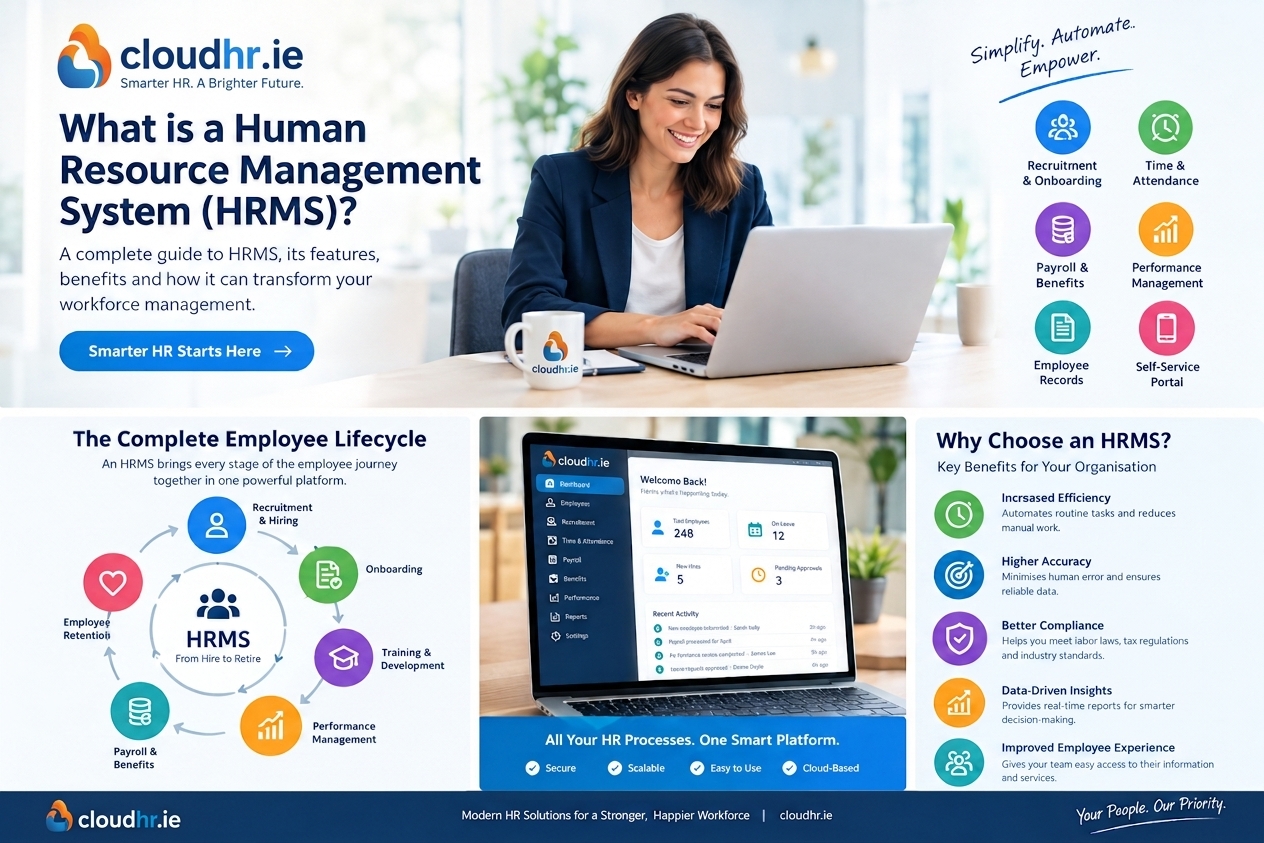
CloudHR takes this approach by bringing HR, Irish payroll and people management together in one platform, with functionality covering areas including employee records, recruitment, onboarding, leave, attendance, payroll, performance, training, workforce scheduling and compliance.
The goal isn't to automate HR itself.
The goal is to automate the administration surrounding HR so people professionals can spend more time on work that requires judgement, communication and expertise.
So what does an efficient HR operation actually look like?
The Problem with Fragmented HR Administration
Before looking at the technology, it is worth understanding why HR administration becomes so time-consuming.
The problem usually isn't one particularly complicated process.
It is the accumulation of dozens of small processes.
An employee changes their address.
Someone submits a holiday request.
A manager approves an absence.
A new employee needs to complete their documentation.
Payroll needs updated information.
HR needs to locate a signed contract.
A manager wants a headcount report.
An employee cannot find their payslip.
A training course needs to be assigned.
A working-hours record needs to be checked.
A contract needs to be updated.
None of these tasks is particularly difficult.
But each one consumes time.
And when the same tasks are repeated across an organisation, the administrative burden becomes substantial.
Consider a typical employee change
Imagine an employee moves house.
In a fragmented environment, the process might look like this:
Employee emails HR
↓
HR updates spreadsheet
↓
HR updates HR system
↓
HR informs payroll
↓
Payroll updates its records
↓
Employee receives confirmation
One small change has created several administrative steps.
Now imagine the same organisation has hundreds of employees making changes throughout the year.
The individual tasks may only take a few minutes, but the cumulative cost can be significant.
A connected HR system changes the process.
The employee updates their information through self-service.
The system records the change.
HR can review it where appropriate.
Relevant information can be made available to the processes that need it.
The employee receives confirmation.
There are fewer handoffs.
And fewer handoffs generally mean fewer opportunities for duplicated work or inconsistent information.
What Does an Efficient HR Operation Look Like?
Efficiency in HR doesn't simply mean doing things faster.
A genuinely efficient HR operation should have several characteristics.
One source of employee information
HR should not have to search through multiple spreadsheets to determine which employee record is correct.
Clear ownership
Employees should know what they can manage themselves.
Managers should know what requires their approval.
HR should know which exceptions require intervention.
Automated workflows
Routine processes should move automatically from one stage to the next wherever practical.
Accessible information
Employees and managers should be able to access appropriate information without creating unnecessary HR requests.
Connected processes
Recruitment should connect to onboarding.
Onboarding should connect to core HR.
HR information should connect to payroll.
Attendance should connect to relevant workforce processes.
Strong governance
Sensitive employee information should be protected through appropriate permissions and access controls.
Measurable performance
HR should be able to measure how much time is being spent on administration and whether technology is actually reducing it.
This is the bigger opportunity behind modern HR software.
It isn't simply replacing paper forms with digital forms.
It is redesigning how information moves through the organisation.
1. Create One Reliable Employee Record
One of the foundations of efficient HR management is having a central employee record.
Without one, employee information can become scattered across spreadsheets, payroll systems, document folders, email inboxes and individual files.
That makes even simple questions harder to answer.
Where is the latest contract?
What is the employee's current role?
When did their salary change?
How much leave do they have?
Which documents have they signed?
What training have they completed?
Who is their manager?
A modern HR management system brings these details together.
Instead of treating each piece of information as a separate record, the employee becomes the central point around which HR processes are organised.
For example, an employee profile might connect:
- Personal information
- Employment details
- Contracts
- Documents
- Leave
- Attendance
- Payroll information
- Training
- Performance
- Manager information
- Organisational structure
- Relevant compliance records
This creates a much more useful HR environment.
The information isn't simply stored.
It becomes part of connected workflows.
Why a single source of truth matters
Consider a salary change.
In a disconnected environment, someone may need to update:
- The HR spreadsheet
- The employee's contract
- The payroll system
- A reporting spreadsheet
- The manager's records
Every additional location creates another opportunity for information to become outdated.
With a connected platform, the change can be recorded centrally and used by the relevant processes.
That doesn't eliminate the need for controls or approvals.
It reduces unnecessary duplication.
CloudHR is designed around this centralised employee record approach, bringing core HR information together with payroll, leave, attendance, recruitment and other people-management processes.
For growing businesses, this becomes increasingly valuable.
The larger the workforce becomes, the more expensive duplicated administration can become.
2. Give Employees More Control Through Self-Service
HR teams are often interrupted by questions that employees could answer themselves if the information were easily accessible.
How much annual leave do I have?
Where can I find my payslip?
What address do you have on file?
Can I download my contract?
How do I request time off?
Where can I find the company policy?
These are legitimate questions.
But they don't necessarily require an HR professional to answer them individually.
Employee self-service changes the relationship between employees and HR.
Instead of HR acting as the gateway to every piece of information, employees can access and manage appropriate information directly.
Depending on the platform and configuration, self-service can include:
- Updating personal information
- Managing emergency contacts
- Requesting annual leave
- Viewing leave balances
- Accessing payslips
- Accessing documents
- Completing onboarding information
- Signing documents
- Viewing relevant training information
- Tracking requests
- Accessing company information
The important word is appropriate.
Self-service does not mean employees should have unlimited access to HR information.
It means employees can manage the information and processes that belong within their responsibilities.
HR becomes the exception manager
This is one of the most important changes that HR automation can create.
Instead of processing every routine transaction, HR can focus on exceptions.
For example:
An employee requests leave.
The manager receives the approval request.
The manager approves it.
The employee's balance updates.
HR can see the transaction without manually processing each stage.
If something unusual happens, HR can intervene.
That is a more scalable model.
It allows HR to maintain oversight without becoming a bottleneck.
3. Replace Email-Based Approvals with Workflows
Email is one of the most widely used tools in HR.
It is also one of the easiest ways for processes to become difficult to track.
Consider a simple approval.
An employee emails their manager requesting annual leave.
The manager replies.
HR is copied into the email.
Someone updates a spreadsheet.
Another person checks the balance.
The employee receives confirmation.
Now multiply that process by hundreds of requests.
Email can quickly become an unofficial workflow management system.
The problem is that email doesn't necessarily tell you:
- What stage the request is at
- Who needs to act
- Whether the request has been approved
- Whether HR has processed it
- What information has changed
- Which requests are still outstanding
A modern HR platform can turn these processes into structured workflows.
Example: leave approval
Employee submits request
↓
System checks relevant information
↓
Manager receives notification
↓
Manager approves or rejects
↓
Employee receives status
↓
Leave balance updates
↓
HR retains visibility
The process is clearer.
The responsibility is clearer.
The record is easier to retrieve.
And HR doesn't have to manually chase every approval.
The same principle can be applied to other processes.
Document approval
Document created → employee notified → document signed → HR notified → signed document stored.
Onboarding
New starter created → tasks assigned → documents completed → manager notified → onboarding progress tracked.
Performance reviews
Review cycle opened → manager notified → employee completes relevant sections → manager completes review → feedback recorded → cycle completed.
The value of workflow automation isn't that every HR process becomes robotic.
It is that routine processes become predictable.
4. Connect Recruitment and Onboarding
Recruitment and onboarding are often treated as separate HR activities.
They shouldn't have to be.
The information collected during recruitment can become the foundation for the employee's HR record.
Without integration, HR may have to re-enter information after a candidate accepts an offer.
That creates unnecessary work.
A connected recruitment and onboarding process can look more like this:
Candidate applies
↓
Candidate progresses through recruitment
↓
Offer issued
↓
Offer accepted
↓
Employee record created
↓
Onboarding workflow begins
↓
Documents collected
↓
Payroll information captured
↓
Training assigned
↓
Manager tasks created
The process becomes one continuous employee journey.
Why onboarding deserves special attention
Onboarding creates a large number of administrative tasks in a short period.
A new employee may need to complete:
- Personal information
- Bank information
- Tax information
- Contract documentation
- Company policies
- Emergency contacts
- Payroll information
- Training
- Equipment requests
- Manager introductions
- First-day activities
When those tasks are managed manually, HR can spend a significant amount of time checking what has and hasn't been completed.
A digital onboarding workflow can provide a much clearer view.
HR can see:
Completed
Outstanding
Waiting for employee
Waiting for manager
Ready for payroll
This reduces the need to maintain separate checklists.
More importantly, it creates a consistent process.
CloudHR's recruitment and onboarding functionality connects hiring activities with the wider employee lifecycle, including digital offer letters, electronic signatures and onboarding workflows.
5. Bring Leave, Attendance and Scheduling Together
Leave management is one of the first HR processes businesses often try to digitise.
But leave is only part of the workforce picture.
For many organisations, HR also needs visibility of attendance, working hours, absences, schedules, shifts and overtime.
If these processes operate independently, information can become fragmented.
For example, an employee may have:
- Annual leave in one system
- Attendance in another
- Shift information in a spreadsheet
- Payroll information somewhere else
That can create additional reconciliation work.
A connected workforce management system can bring these activities closer together.
A more connected process
An employee requests leave.
The system updates their availability.
The manager can see the impact on the team.
Scheduling information reflects the absence.
Relevant attendance information remains available.
Payroll has access to the information required for its processes.
HR retains an overall view.
This is particularly relevant for organisations with shift workers or employees operating across multiple locations.
CloudHR includes leave, attendance and workforce scheduling capabilities alongside core HR and payroll, allowing these processes to operate within a broader people-management environment.
The value of visibility
The benefit isn't only administrative.
Better visibility can help managers plan.
If several employees are unavailable at the same time, the manager can identify the issue earlier.
If attendance patterns change, HR can investigate.
If working hours need to be reviewed, the relevant records are easier to access.
The HR system becomes more than a place where information is stored.
It becomes a workforce management tool.
6. Reduce Payroll Administration Through Connected HR Data
Payroll is one of the most sensitive HR processes because errors can have an immediate impact on employees.
It is also an area where duplicated data entry creates unnecessary risk.
Employee information can change regularly.
People change roles.
Salaries change.
Working patterns change.
Leave is taken.
Attendance changes.
Employees join and leave the organisation.
If HR and payroll operate separately, someone often has to transfer relevant information between systems.
That transfer may involve:
- Exports
- Imports
- Spreadsheets
- Emails
- Manual checks
- Reconciliation
Each handoff adds work.
A connected HR and payroll platform can reduce some of those handoffs by allowing relevant employee information to flow between processes.
CloudHR positions Irish payroll as part of its wider HR platform, with functionality covering areas such as PAYE, PRSI, USC, tax credits and Revenue-related payroll processes.
For an Irish SME, this can be particularly useful when the alternative is maintaining separate systems for employee records and payroll.
Why Irish payroll functionality matters
Payroll isn't identical in every country.
Irish employers have specific payroll requirements and processes to consider.
That means businesses choosing HR software should look beyond whether a platform simply has a "payroll" feature.
They should consider whether the system is appropriate for their actual payroll environment.
Questions can include:
- Does it support Irish payroll requirements?
- How are Revenue processes handled?
- Can employee changes flow into payroll?
- Can payslips be accessed through self-service?
- How are payroll records maintained?
- Can payroll reporting be produced efficiently?
- Does it integrate with existing financial systems?
The right approach depends on the organisation, but payroll localisation should be an important part of the evaluation process for Irish employers.
7. Make HR Reporting Less Manual
HR reporting can consume significant amounts of time when information is stored across multiple systems.
A monthly report might require someone to collect:
- Headcount
- New starters
- Leavers
- Absence
- Leave
- Attendance
- Recruitment
- Training
- Payroll information
If each data point lives somewhere different, reporting becomes a data-collection exercise.
HR spends time preparing the information rather than analysing it.
A centralised HR platform can simplify this process.
When information is already structured within the system, reports can be generated from the same underlying employee records.
That can make it easier to answer questions such as:
- How many employees do we have?
- How many people joined this month?
- How many employees left?
- What departments are growing?
- How much annual leave is being taken?
- Which training is outstanding?
- What does the workforce look like by location?
- How many vacancies are currently open?
The goal isn't to produce more reports.
It is to spend less time creating them.
That distinction matters.
HR analytics should support decision-making rather than become another administrative burden.
8. Improve Document Management
HR generates and stores a large amount of documentation.
Contracts.
Policies.
Offer letters.
Performance documents.
Training records.
Employee forms.
Payroll documents.
Certificates.
Signed agreements.
When these are stored in shared folders or email inboxes, finding the right version can take time.
A modern HR system can connect documents to the relevant employee record.
This makes the information easier to locate.
It can also help create more consistent processes around document management.
For example:
Document created
↓
Employee receives notification
↓
Employee reviews document
↓
Digital signature completed
↓
Signed copy stored
↓
HR can retrieve the record when required
This is particularly useful during audits, employee queries or compliance reviews.
Instead of searching through folders, HR can access the employee's record and locate the relevant documentation.
9. Use Permissions to Protect Sensitive HR Information
Efficiency should never come at the expense of security.
HR systems contain highly sensitive personal information.
Different people need different levels of access.
An employee may need access to their own information.
A manager may need access to relevant information about their team.
Payroll may need access to compensation information.
HR may require broader access.
Senior leadership may need aggregated reports without needing access to individual records.
This is where role-based permissions become important.
A modern HR platform should allow organisations to control access according to responsibilities.
For example:
Employees
Access to their own information and relevant self-service functions.
Managers
Access to appropriate team information and approval processes.
HR
Broader access to employee records and HR workflows.
Payroll or Finance
Access to appropriate payroll and compensation information.
Administrators
Access to relevant system configuration and permissions.
CloudHR provides role-based access controls and audit trails designed to help organisations manage access to sensitive HR information.
The exact configuration should always be aligned with the organisation's internal policies and data protection requirements.
10. Build Compliance into Everyday HR Processes
Compliance becomes easier to manage when it is part of normal HR administration rather than a separate activity.
Irish employers may need to maintain various employment records relating to areas such as:
- Working time
- Leave
- Contracts
- Payroll
- Attendance
- Employee documentation
- Training
- Employment status
- Relevant work permits
- Changes to employment
The challenge is not simply keeping records.
It is being able to locate appropriate information when required.
A modern HR system can provide a structured environment for maintaining these records.
CloudHR positions WRC compliance, working-time records, contract management and audit-ready information as part of its Irish-focused HR platform.
Technology does not replace an employer's legal responsibilities.
It can, however, make record management more organised.
Think of compliance as a process, not a folder
A traditional approach might be:
Create document → save document → forget about document
A more structured HR approach is:
Create document → assign document → obtain signature → store record → maintain history → retrieve when required
The second process creates a clearer audit trail.
That can make HR administration more manageable.
11. Automate the Employee Lifecycle, Not Just Individual Tasks
The biggest opportunity often appears when individual HR processes are connected.
Consider the employee lifecycle:
Recruitment
↓
Offer
↓
Onboarding
↓
Core HR
↓
Time and Attendance
↓
Leave
↓
Payroll
↓
Performance
↓
Training
↓
Development
↓
Offboarding
If each stage uses a separate system, HR becomes responsible for moving information between them.
If the stages share a common employee record, the process becomes much more connected.
For example, information collected during recruitment can support onboarding.
Onboarding information can populate the employee record.
The employee record can support payroll.
Payroll can connect with relevant employee information.
Training can remain attached to the employee profile.
Performance reviews can sit within the same lifecycle.
Offboarding can trigger the relevant final tasks.
CloudHR describes its platform as covering multiple stages of the employee lifecycle, including recruitment, onboarding, core HR, leave, attendance, learning, performance, rota management, Irish payroll and compliance.
This is where an all-in-one approach can become useful.
The value isn't simply having lots of features.
The value comes from how those features work together.
Why Employee Self-Service Is Becoming a Standard Expectation
Employees are increasingly comfortable managing information digitally.
They book holidays online.
They manage banking through apps.
They update personal information through online services.
They sign documents electronically.
They expect similar convenience at work.
Employee self-service can therefore be viewed as more than an HR efficiency tool.
It is also an employee experience feature.
Instead of:
"Please email HR and we'll update that for you."
The experience becomes:
"You can update your information securely through your employee portal."
Instead of:
"We'll send your payslip when payroll is processed."
The experience becomes:
"Your payslip is available in your employee account."
Instead of:
"Email HR to request annual leave."
The experience becomes:
"Submit your request through the leave system."
This reduces administrative requests while giving employees greater visibility.
What Should Irish SMEs Look for in HR Software?
The best HR platform depends on the organisation's needs.
However, Irish SMEs evaluating HR software should consider several core areas.
Core HR
Can the system provide a central employee record?
Look for:
- Employee profiles
- Employment history
- Contracts
- Documents
- Organisation structures
- Custom fields
- Search and reporting
Employee self-service
Can employees manage routine tasks?
Look for:
- Leave requests
- Profile updates
- Payslips
- Documents
- Digital signatures
- Employee portals
Leave and attendance
Can the system manage working time?
Consider:
- Leave balances
- Approval workflows
- Absence
- Attendance
- Working-time records
- Overtime
- Scheduling
Payroll
For Irish businesses, investigate:
- PAYE
- PRSI
- USC
- Tax credits
- Revenue processes
- Payslips
- Payroll reporting
Recruitment and onboarding
Consider whether candidates can move smoothly into employee records.
Look for:
- Applicant tracking
- Candidate pipelines
- Offers
- Digital signatures
- Onboarding workflows
Performance and training
Consider:
- Goals
- Reviews
- Feedback
- Learning
- Training records
- Completion tracking
Security
Look for:
- Role-based permissions
- Audit logs
- Secure authentication
- Data protection measures
- Appropriate access controls
Integrations
Consider how the platform fits with the systems you already use.
CloudHR currently lists connections and integrations including Microsoft 365, Google, Xero, Slack, QuickBooks, Zoom, Stripe, Salesforce, Teams, Outlook and Zapier.
The important question is not how many integrations a platform has.
It is whether the integrations you actually need are available and reliable.
How to Measure Whether HR Software Is Actually Saving Time
One of the biggest mistakes businesses can make is choosing HR software based entirely on features.
A long feature list does not automatically translate into efficiency.
The better approach is to measure the current workload.
Start with a baseline.
For one month, record approximately how much time your HR team spends on recurring administrative tasks.
For example:
ActivityCurrent time per weekEmployee queries4 hoursLeave administration2 hoursPayroll preparation4 hoursEmployee record updates2 hoursReporting3 hoursOnboarding3 hoursDocument administration2 hoursTotal20 hours
The numbers will be different for every organisation.
What matters is creating your own baseline.
Then identify which activities the new HR system is expected to improve.
After implementation, measure them again.
For example:
- Hours spent processing leave
- Number of employee queries
- Time spent preparing payroll
- Onboarding completion time
- Reporting preparation time
- Number of manual data corrections
- Number of duplicate data entries
This gives the business a much more useful measure of ROI.
Instead of asking:
"Does the software save time?"
You can ask:
"Which processes became faster, by how much, and why?"
Don't Automate a Broken Process
There is an important warning here.
Technology doesn't automatically fix inefficient processes.
If an organisation has a complicated approval process, simply moving that process into software may make it digital — but not necessarily better.
Before automating a workflow, ask:
Does this step need to exist?
Who actually needs to approve it?
Is the same information being requested twice?
Can the employee complete this themselves?
Does this information need to be entered manually?
Could two processes be combined?
This is where HR transformation becomes different from simply buying HR software.
The best results often come from combining process redesign with technology.
First simplify.
Then automate.
Start Small and Expand
Businesses don't necessarily need to automate their entire HR operation immediately.
A phased approach can be more practical.
Phase 1: Centralise employee information
Move away from disconnected spreadsheets and establish a reliable employee record.
Phase 2: Introduce employee self-service
Give employees access to relevant information and routine processes.
Phase 3: Automate leave and attendance
Create structured approval workflows and improve workforce visibility.
Phase 4: Connect recruitment and onboarding
Reduce duplicate data entry when candidates become employees.
Phase 5: Integrate payroll
Connect relevant HR information to payroll processes.
Phase 6: Expand into performance and training
Build a more complete employee lifecycle.
Phase 7: Introduce deeper reporting
Use structured HR data to support workforce planning and decision-making.
This approach allows HR teams to demonstrate value at each stage.
It also gives employees and managers time to become comfortable with new processes.
What Does This Mean for HR Professionals?
There is sometimes concern that automation means HR becomes less important.
The opposite can be true.
The less time HR spends on repetitive administration, the more capacity it has for work that requires human judgement.
Consider the difference between these two working days.
Day one
Checking spreadsheets.
Answering payslip requests.
Updating addresses.
Chasing signatures.
Reconciling leave.
Preparing reports.
Following up on onboarding forms.
Day two
Coaching managers.
Planning recruitment.
Reviewing retention trends.
Improving employee engagement.
Designing development programmes.
Supporting employee relations.
Planning future workforce requirements.
Both days involve HR.
But the second allows HR professionals to contribute more directly to organisational priorities.
Automation should therefore be viewed as a way of increasing HR capacity.
Not reducing the importance of HR.
The Role of HR Technology in Growing Irish Businesses
For a small organisation, manual processes can initially feel manageable.
One spreadsheet.
One shared folder.
A few email templates.
A payroll system.
Perhaps a recruitment platform.
As headcount grows, however, these processes become harder to maintain.
The HR team grows more slowly than the workforce.
Managers need more information.
Employees submit more requests.
Payroll becomes more complex.
Compliance requirements become harder to track.
Reporting becomes more important.
This is where an HR management system can provide scalability.
The objective is not to build a more complicated HR department.
It is to build processes that can support a larger workforce without requiring the same increase in administrative effort.
Why CloudHR Takes an Integrated Approach
CloudHR is designed around the idea that HR processes work better when they are connected.
Rather than treating payroll, employee records, recruitment, leave and workforce management as completely separate activities, the platform brings them together.
Its functionality includes:
- Core HR
- Employee management
- Recruitment and ATS
- Onboarding
- Leave management
- Attendance
- Irish payroll
- Performance management
- Training and LMS
- Workforce management
- TMS and rota scheduling
- WRC compliance
- Document management
- Reporting
- Role-based permissions
For Irish SMEs, the combination of HR and Irish payroll is particularly relevant.
Businesses can evaluate whether bringing these processes together would reduce the amount of manual data movement currently taking place between systems.
CloudHR also currently offers a 30-day free trial, with no credit card required to start, according to its website.
A Practical Checklist for Your HR Transformation
Before implementing new HR software, ask your team these questions.
Employee information
- Where is our employee data currently stored?
- How many systems contain employee information?
- How often is the same information entered more than once?
- How easy is it to find a specific employee document?
Employee requests
- How many HR queries do we receive every week?
- Which questions are repetitive?
- Which requests could employees manage themselves?
Leave and attendance
- How are leave requests currently submitted?
- How are balances calculated?
- How is attendance recorded?
- Does payroll receive attendance information automatically?
Recruitment and onboarding
- How much information has to be re-entered when someone is hired?
- How are onboarding tasks tracked?
- How does HR know whether a new starter has completed everything?
Payroll
- How does information move from HR to payroll?
- How many manual checks are required?
- How often does HR need to reconcile different records?
Reporting
- How long does it take to produce a monthly HR report?
- Where does the data come from?
- How confident are you that the information is current?
Compliance
- Where are employment records stored?
- How quickly can relevant information be retrieved?
- Who has access to sensitive HR information?
- Is there a clear audit trail?
The answers will reveal where your biggest opportunities are.
The Future of HR Administration Is More Connected
HR administration is unlikely to disappear.
There will always be employee changes.
There will always be leave requests.
There will always be payroll.
There will always be onboarding.
There will always be compliance requirements.
The opportunity is to change how those activities are managed.
Instead of:
Employee → HR → Spreadsheet → Manager → Payroll → HR → Employee
the process can become:
Employee → HR platform → Automated workflow → Relevant approver → Connected record
That is a significant change.
It reduces the number of people required to move information around.
It gives employees more visibility.
It gives managers clearer responsibilities.
And it gives HR a more reliable source of information.
The Bottom Line
Modern HR software is not valuable simply because it replaces spreadsheets.
Its real value comes from connecting the processes that surround the employee lifecycle.
A central employee record reduces duplicate data entry.
Employee self-service reduces routine HR requests.
Automated workflows make approvals easier to manage.
Digital onboarding creates a more consistent new-starter experience.
Connected leave and attendance improve workforce visibility.
Integrated HR and payroll can reduce manual reconciliation.
Document management makes records easier to retrieve.
Role-based permissions support better governance.
Reporting becomes less dependent on manually combining spreadsheets.
And compliance records can become part of everyday HR processes rather than something maintained separately.
For Irish SMEs, the opportunity is particularly relevant when HR, payroll and workforce management currently operate across multiple disconnected systems.
The goal shouldn't be to automate everything.
It should be to identify the administrative work that adds the least value and find a better way of doing it.
That could mean allowing employees to update their own information.
It could mean automating leave approvals.
It could mean connecting recruitment and onboarding.
It could mean eliminating repetitive payroll data entry.
Or it could mean simply giving HR one reliable place to find the information they need.
The right HRM system should make those improvements possible.
And once the repetitive work is reduced, HR can spend more time where it creates the greatest value: people, performance, culture and the future of the organisation.
Frequently Asked Questions
What is HR software?
HR software is technology used to manage employee information and HR processes. Depending on the platform, this can include recruitment, onboarding, employee records, leave, attendance, payroll, performance, training, reporting and compliance.
What is an HR management system?
An HR management system, or HRM system, centralises employee information and supports processes throughout the employee lifecycle. Modern systems can also automate workflows and provide employee and manager self-service.
How can HR software reduce administration?
HR software can reduce administration by automating repetitive processes, centralising information, providing self-service functionality and reducing duplicate data entry between systems.
Is HR software useful for small businesses?
Yes. Small businesses can use HR software to establish structured employee records, automate leave and onboarding, provide employee self-service and create processes that can scale as the organisation grows.
Should HR and payroll be in the same system?
There is no single approach that works for every organisation. However, connecting HR and payroll can reduce the amount of information that needs to be transferred manually between systems and can reduce reconciliation work.
What should Irish businesses consider when choosing HR software?
Irish businesses should consider core HR, employee self-service, leave, attendance, payroll, recruitment, onboarding, reporting, security, GDPR considerations, WRC-related record keeping and integrations with their existing technology.
Can HR software help with Irish payroll?
Some HR platforms include functionality designed specifically for Irish payroll. Businesses should check the platform's current capabilities and whether they meet their payroll requirements, including relevant Revenue and statutory processes.
Can employees update their own information?
Modern HR systems can provide employee self-service, allowing employees to update permitted personal information, request leave, access documents and view payslips without contacting HR for every routine task.
Does HR software replace HR professionals?
No. HR software is primarily designed to automate or simplify administrative processes. HR professionals continue to provide the human judgement required for employee relations, performance conversations, recruitment, development, culture and workforce planning.
How do I know whether HR software will save my business time?
Start by measuring your current HR administration. Track the hours spent on leave, employee queries, onboarding, payroll preparation, reporting and record updates. Then identify which activities the software can automate and compare the results after implementation.
What is the difference between HRM, HRMS and HRIS?
The terms overlap considerably. HRM refers to Human Resource Management, while HRMS and HRIS are commonly used to describe software systems for managing employee information and HR processes. When comparing platforms, the features and workflows matter more than the acronym.
Is an all-in-one HR platform better than using several specialist systems?
The answer depends on the organisation. Specialist systems can be useful for particular requirements, while an integrated platform can reduce the need to transfer information between separate applications. Businesses should compare the functionality, integrations, costs and administrative impact of each approach.
Final takeaway
If your HR team spends too much time updating spreadsheets, chasing approvals, answering repetitive questions and moving information between systems, the problem may not be the amount of work your HR team is doing.
It may be the way the work is organised.
A modern HRM platform can create a more connected employee lifecycle, giving employees and managers more control while reducing repetitive administration for HR.
Less manual administration.
Fewer disconnected processes.
Better access to information.
More time for people-focused HR.
That is the real opportunity behind HR digitalisation.
Ready to see what a connected HR platform could look like for your organisation?
Explore CloudHR and discover how HR, Irish payroll, employee management, recruitment, attendance, performance and compliance can work together in one platform.